
MAGI-2 aspect ratios affect what fits in the shot before they affect where you publish it. A wide view can show the relationship between two people, while a vertical frame may need to bring them closer together. Choose the destination and composition first instead of assuming a finished landscape scene can always be cropped into a convincing portrait version.
This guide separates documented model ratios from platform-specific display and advertising rules. The framing examples are suggestions, not generated or tested results, and the word “cinema” describes a composition preference rather than a delivery certification.
What are the six documented MAGI-2 aspect ratios?
Sand's Ark compatibility specification lists six options: 21:9, 16:9, 4:3, 1:1, 3:4 and 9:16. A ratio expresses width relative to height. It does not, by itself, identify the exact pixel dimensions of the file.
The following creative uses are planning suggestions, not official platform guarantees:
| Ratio | Shape | A possible composition use | A likely framing question |
|---|---|---|---|
| 21:9 | Very wide | An environment with subjects spread horizontally | Will the important subject become too small? |
| 16:9 | Landscape | A desk demonstration or two-person scene | Can the action remain readable across the width? |
| 4:3 | Moderately wide | A compact room or centered character study | Is the extra side space doing useful work? |
| 1:1 | Square | A centered product or balanced close view | Are hands and objects contained within the edges? |
| 3:4 | Portrait | A person with some surrounding context | Is there room for gestures and the relevant prop? |
| 9:16 | Tall portrait | A mobile-oriented presenter or vertical action | What must move closer to remain visible? |
NanoAPI's MAGI documentation lists the same ratios and does not accept auto for its aspect-ratio parameter. In image-to-video mode it directs users to choose the first frame's ratio. Those are provider requirements; they do not prove that every website exposes identical controls.
magi-2.online is an independent third-party studio, not Sand.ai's official service. Its public description of six ratios is not a test of authenticated export options or automatic reframing features.
Why ratio is different from resolution
A ratio describes shape; resolution describes the dimensions of a delivered image. Multiplying a ratio by a guessed “1080” side does not establish the actual output specification for every shape.
NanoAPI provides explicit output examples including 1920×1080 for 16:9, 1080×1920 for 9:16 and 1248×1664 for 3:4. These provider-listed examples illustrate why you should inspect the documented or downloaded dimensions rather than invent a single pixel rule for all six options. They are not measurements of this website's outputs.
Do not fabricate 21:9 dimensions where the cited contract does not establish them. If a destination has a hard pixel requirement, verify the actual file and prepare an appropriate export through your chosen editing workflow.
Sand.ai's flagship description reports 1080p, 25 fps delivery and explains a dedicated latent spatiotemporal upscaler. That pipeline qualification matters: the term native audio-video does not mean the final resolution comes from an upscaler-free base render, nor does a large file guarantee legible small text or stable facial detail.
YouTube desktop and Shorts are different decisions
For ordinary desktop viewing, YouTube's resolution and aspect-ratio guidance identifies 16:9 as the standard. The player also adjusts to other video shapes. This is not a requirement that every YouTube upload must be landscape.
The same guidance lists 1920×1080 for a 16:9 1080p export and advises against adding padding or black bars directly to the video. Baked-in bars can interfere with the player's ability to adapt the display. A deliberately wide composition and a landscape file containing unnecessary black padding are not the same thing.
For Shorts, consult YouTube's dated eligibility rules. For standard channels, square or vertical videos up to three minutes uploaded on or after October 15, 2024 are categorized as Shorts; the page separately describes Official Artist Channel dates. Do not simplify that into “Shorts require exactly 9:16.”
Also separate model generation length from platform length. A MAGI-2 generation allowance of up to 30 seconds does not establish the maximum duration of a finished YouTube Short. Classification, music rights and other platform requirements remain separate from the shape of an individual generated shot.
TikTok ad framing needs a placement-specific check
TikTok's Auction In-Feed Ads specification, updated June 2026, recommends 9:16 for vertical Non-Spark ads. It also lists horizontal 16:9 and square 1:1 options. These are rules for the named advertising placement, not a complete guide to every organic TikTok format.
The specification says safe-zone size depends on video dimensions, caption length and additional formats. It also warns that previews and live display can differ slightly. Therefore, a fixed percentage copied from an unrelated template is not reliable evidence that your product, face or disclaimer will remain unobscured.
Use the destination's current placement assets and preview when preparing the final creative. Keep important information away from areas likely to contain interface elements, but do not claim that MAGI-2 automatically detects or protects those areas. The generation ratio does not itself guarantee platform acceptance.
How to plan composition before requesting a clip
1. Name the viewing context
Decide whether the main deliverable is a landscape watch-page video, a vertical feed item, a square composition or a wide scene for a particular edit. If several versions are required, list them now rather than treating portrait as an afterthought.
Then identify the non-negotiable visual information: a face and both hands, two people interacting, or a product and its moving part. That information determines whether cropping is practical.
2. Sketch the action area
Use a rough rectangle in the target shape. Mark the subject's starting position, the path of any important object and the final pose. Include camera movement if it changes what remains in frame.
For a product demonstration, an object can fit comfortably at the beginning and leave the frame during a gesture. Judge the whole route, not just the opening image. This is a preparation exercise, not evidence of a built-in composition overlay in the studio.
3. Prepare references for the intended shape
For an endpoint-based workflow, follow the provider's direction to use the first image's ratio. Prepare a compatible ending image when one is required. Cropping a reference can remove the hand, environment or object path needed to explain the transition.
Use images and footage you own or are authorized to transform, including permissions for recognizable people and marks. Changing the crop does not remove rights obligations. The site's terms of service should be reviewed before uploading materials through the studio.
4. Plan separate horizontal and vertical versions when needed
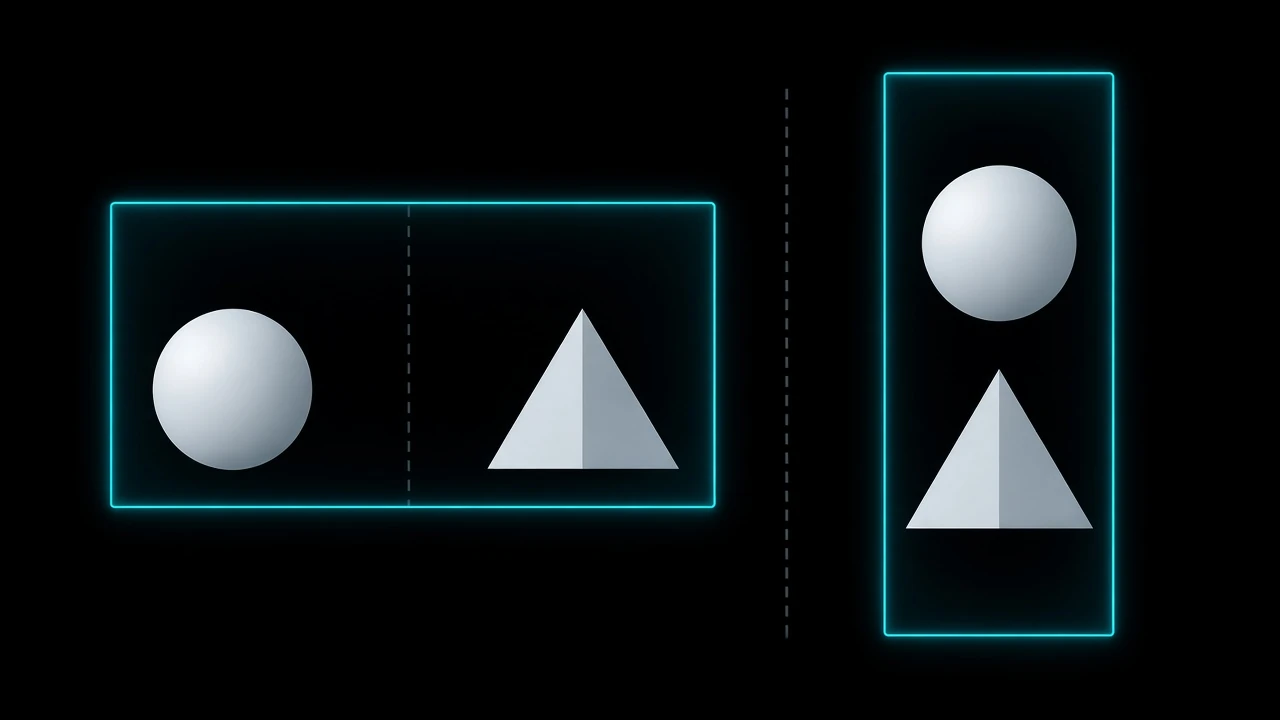
A two-person scene that works with people at opposite sides of a landscape frame may lose one speaker in a center crop. A portrait version may need closer staging, a different camera position or a simpler interaction.
Do not describe reframing as merely switching a numeric setting. The composition can need a different visual plan even when the narrative is unchanged. Compare the delivered variants for meaning and continuity, not just matching runtime.
Two framing examples, not generated or tested
Example, not generated/tested. A landscape desk-demonstration brief might read:
> In a 16:9 composition, show a fictional craftsperson seated behind a desk. Keep the face, both hands and the small wooden model visible. Hold a stable medium-wide view while the model is turned once on the tabletop. Leave breathing room around the action rather than placing important details at the edges.
Example, not generated/tested. A separately planned vertical version might read:
> In a 9:16 composition, frame the fictional craftsperson more closely above the same desk. Keep the face in the upper portion and the hands with the wooden model clearly visible below. Keep the turn compact so the model stays within the portrait frame. Use a stable view without a sideways camera move.
Neither example was rendered or compared. The difference is staging: the portrait plan concentrates the useful action rather than pretending a crop will preserve all the landscape information.
Inspect the final layout and file
Review the actual file dimensions, frame rate and crop before delivery. Watch the full action for lost gestures, clipped props or faces that become too small. Then add approved text and disclosures through an appropriate post-production process and inspect the destination-specific layout.
For a wide “cinematic” composition, confirm the editor and delivery destination handle it as intended. A 21:9 option does not certify theatrical mastering, a cinema package or compliance with a particular distributor's technical standard.
Keep a record of the chosen ratio, composition intention and any later crop. If an element disappears after editing, that record helps distinguish a generation-framing issue from a downstream export choice.
FAQ
Is 9:16 mandatory for YouTube Shorts?
Not under the cited standard-channel eligibility rule, which covers square or vertical uploads within its duration and date conditions. Other platform requirements still apply.
Does every 1080p-class ratio have a 1080-pixel side?
Do not assume so. Use explicit provider dimensions where documented and inspect the actual output. Ratio alone is insufficient evidence.
Can I publish the same landscape clip vertically by cropping?
Sometimes, but inspect the entire action first. Cropping can remove a speaker, a hand or the object that explains the scene. A separately planned portrait shot may be more suitable.
Does 21:9 guarantee cinematic quality?
No. It supplies a wide composition option, not a quality score or delivery certification.
Does the studio automatically preserve safe zones?
No such feature was verified here. Prepare the final layout against the destination's current placement requirements and inspect it yourself.
Sources & References
- TikTok Business Help Center — In-Feed Video Ad Specifications
- NanoAPI — MAGI-2.0 Model Overview & Specifications
- Sand.ai Platform — Video Generations Documentation
- Sand.ai — Official MAGI-2 Flagship Announcement
- YouTube Help — YouTube Shorts Format & Aspect Ratio Guide
- YouTube Help — Video Resolution & Aspect Ratios
- MAGI-2 Online Studio — Independent Web Workspace
- MAGI-2 Official YouTube Channel (@magi2online)